
Before you can use Pokémon GO Plus, you’ll first need to connect through regular Bluetooth to spoof your location. Only after that’s done can you move on to connecting GO Plus.
🛡️🛡️ iFlowGo Virtual GO Plus 100% Safe
Virtual GO Plus is just as safe as iFlowGo’s location spoofing — 100% safe. It never modifies or injects anything into the official Pokémon GO app, no jailbreak required, and your account stays protected.
✨ What is Virtual GO Plus?
Virtual GO Plus is iFlowGo’s built-in virtual GO Plus feature, working exactly like the real hardware GO Plus device. It auto-detects nearby Pokémon, auto-catches them, and auto-spins PokéStops, letting you level up and grind XP even while AFK.
Even better:
- 🔋 Connect up to 3 iPhones at once from a single computer — spoof location and run GO Plus on all of them simultaneously
- 💰 Completely free, no need to buy a real GO Plus / GO Plus + device
- 🚫 No worrying about losing the hardware, battery dying, or Bluetooth range limits
Compared to buying a physical GO Plus that only pairs with one phone, using iFlowGo to manage multiple iPhones from one computer is way more efficient and way more bang for your buck.
Steps:
- Using GO Plus on Android is super simple — all you need to do is tap “Start Virtual GO Plus.”
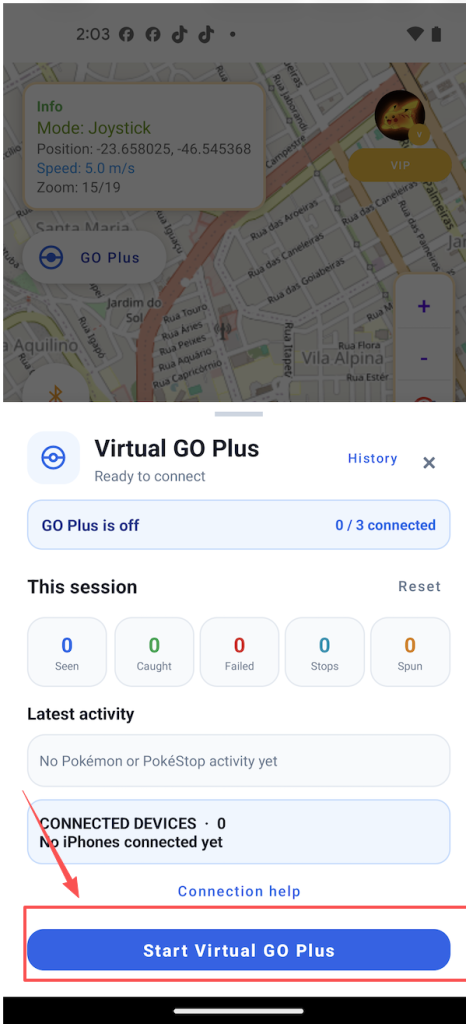
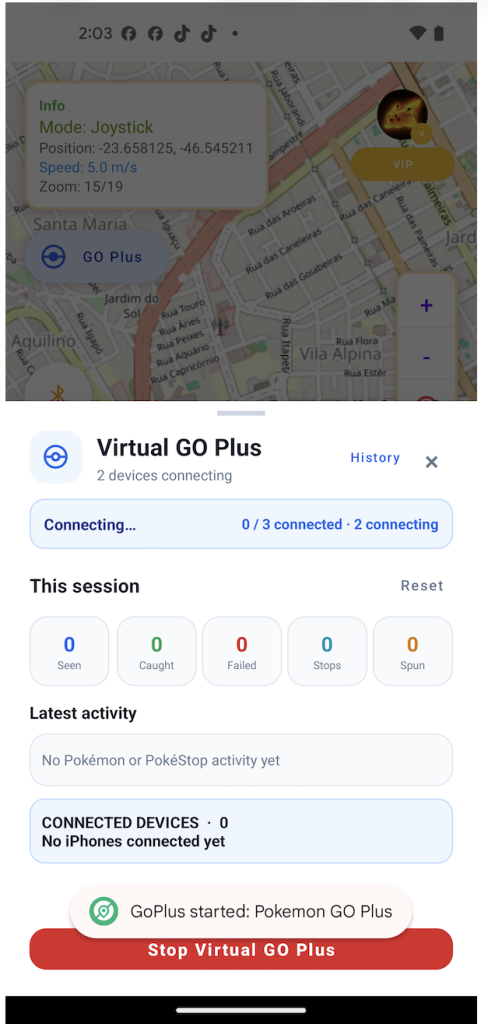
2. The app will then start broadcasting a Bluetooth signal. Next, go into Pokémon GO and tap “Connect to Pokémon GO Plus” to pair it.
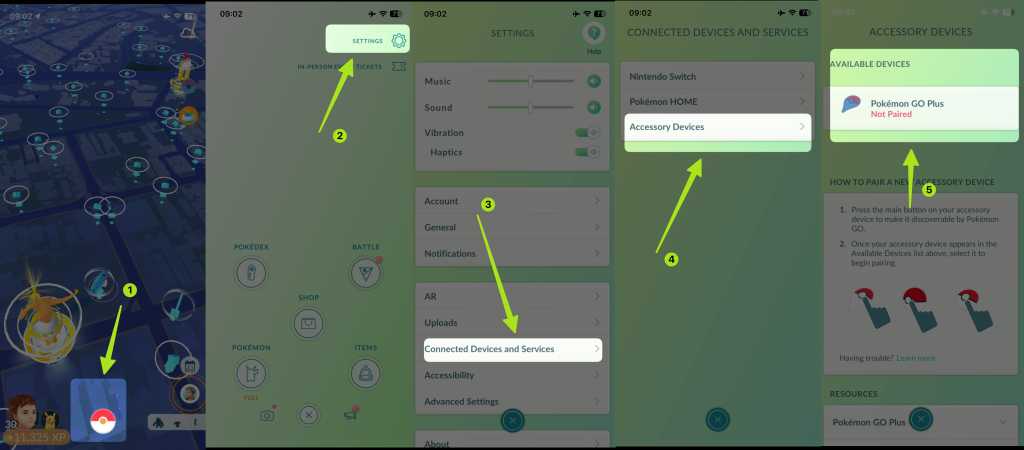
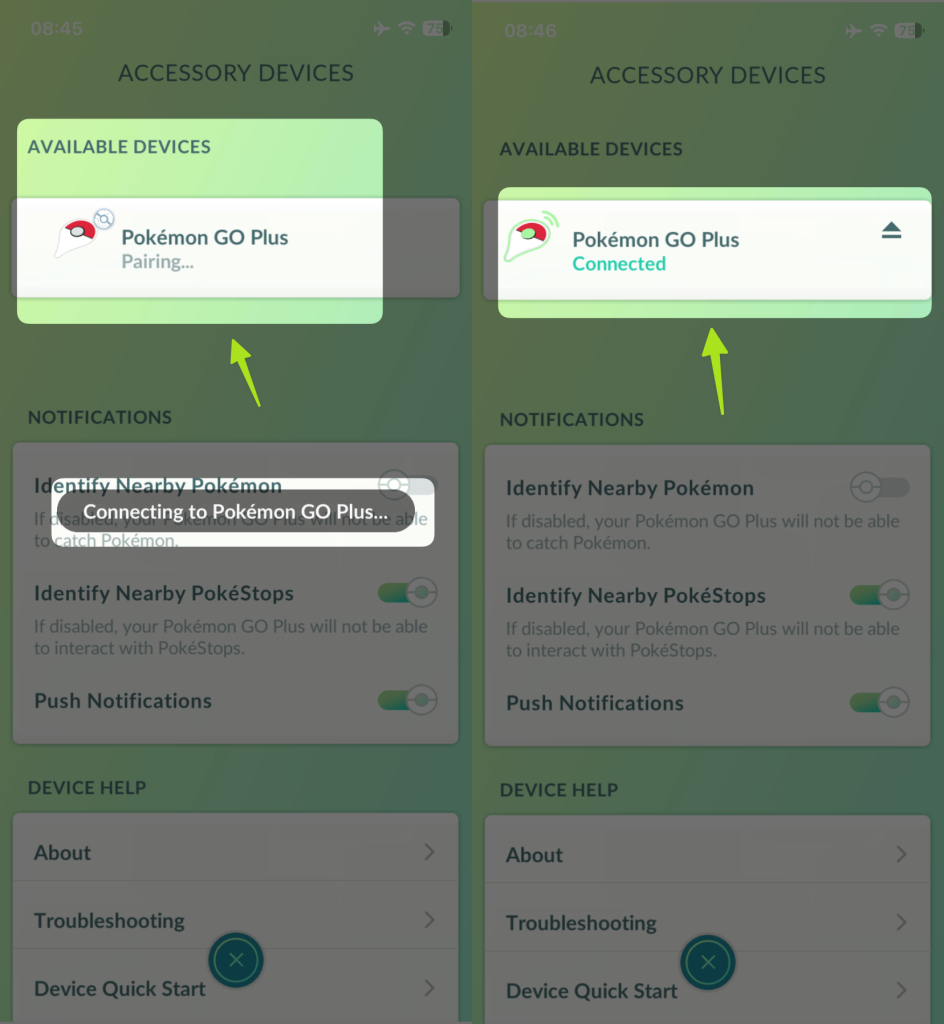
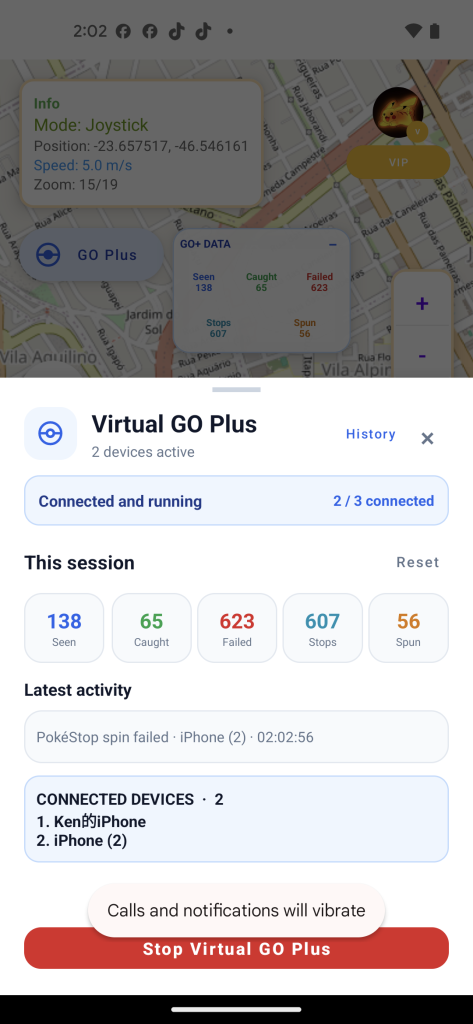
3. Tap Pokémon GO Plus in the device list and wait for pairing to finish — once it’s done, you’ll see this screen.
FAQ
Q: What if I can’t connect to Pokémon GO Plus during this process?
Try tapping it again a few times and see if it connects.
Q: Still not connecting?
Turn off Bluetooth on your iPhone, wait about 5 seconds, then turn it back on. Reconnect for location spoofing first, then try connecting to Pokémon GO Plus again.
Q: Still no luck?
Close both Pokémon GO and iFlowGo completely, then reopen them. Try reconnecting Bluetooth for location spoofing again, then connect to Pokémon GO Plus.