
Stardust is one of the most important resources in Pokémon GO. You need it to power up Pokémon, unlock second Charged Attacks, make trades, and build stronger teams for Raids and the GO Battle League.
Unlike PokéCoins, Stardust cannot simply be purchased in large amounts. You mainly earn it by catching Pokémon, hatching Eggs, battling, and completing research tasks. That is why many Trainers have plenty of Candy but never seem to have enough Stardust.
If you want to earn Stardust more efficiently, iFlowGo can help you reach Pokémon- and PokéStop-dense areas. Its built-in Virtual GO Plus can also automate catches and PokéStop spins, helping you collect resources with less repetitive work.
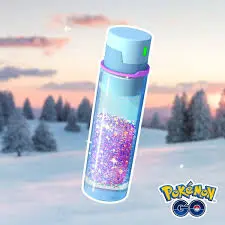
What Is Stardust Used For?
Stardust is a universal resource, meaning it is not tied to a specific Pokémon species. You can use it to:
- Power up Pokémon and increase their CP
- Unlock a second Charged Attack
- Trade Pokémon with friends
- Purify Shadow Pokémon
- Perform certain Form Changes
- Build teams for Raids, Gyms, and PvP battles
Powering up higher-level Pokémon can require a significant amount of Stardust. Trades involving unregistered, Shiny, Legendary, or otherwise special Pokémon may also be expensive.
Instead of powering up every Pokémon you catch, save your Stardust for Pokémon with strong IVs, useful moves, or a clear role in your battle teams.
How to Earn Stardust Fast in Pokémon GO
1. Catch More Pokémon
Catching Pokémon is the most consistent and repeatable way to earn Stardust.
The reward for a single catch may not look impressive, but it quickly adds up when you catch dozens or hundreds of Pokémon. Weather-boosted Pokémon, evolved forms, and certain species may also award additional Stardust.
The basic principle is simple:
More successful catches = more Stardust.
This is why playing in an area with frequent spawns can make such a big difference.
2. Claim Daily Catch Bonuses
Your first catch of the day provides an additional reward. Maintaining a daily catching streak can unlock an even larger bonus.
Even if you do not have time for a long play session, catching at least one Pokémon every day is an easy way to keep earning Stardust.
3. Play in the GO Battle League
The GO Battle League awards Stardust based on your completed sets, wins, rank, and end-of-season results.
You do not need a perfect team to begin. Completing your daily sets and gradually improving your rank can provide a steady source of Stardust throughout the season.
Season-end rewards can be especially valuable, so consider activating a Star Piece before claiming them.
4. Hatch Eggs 🥚
Hatching Eggs can reward Stardust alongside Pokémon and Candy. The amount varies depending on the Egg and current event bonuses.
For better efficiency, prepare several Eggs to hatch around the same time. If a hatch-related bonus is active, use a Star Piece shortly before the Eggs hatch.
5. Complete Research Tasks
Field Research, Timed Research, Special Research, and event tasks may all offer Stardust.
Check the available rewards and prioritize tasks that award Stardust directly. During special events, some research lines can provide much larger rewards than ordinary daily tasks.
6. Join Raids and Battle Team GO Rocket
Raids and Team GO Rocket battles can provide Stardust together with Pokémon encounters and other items.
These activities are useful when you want to collect Stardust while also building stronger teams, earning items, or hunting specific Pokémon.
What Is a Star Piece?
A Star Piece increases the Stardust you earn by 50% for a limited time. It normally lasts for 30 minutes, although the duration may be extended during certain events, according to the official Pokémon GO Help Center.
The best times to use a Star Piece include:
- Double or triple Catch Stardust events
- Community Days with a Stardust bonus
- Before claiming GO Battle League season rewards
- When several Eggs are about to hatch
- Before claiming multiple research rewards
- During a high-volume catching session
A Star Piece does not double your Stardust. It adds 50% to the amount you would otherwise receive.
For example, if an event already provides increased Catch Stardust, activating a Star Piece can raise the total reward even further.
Earn Stardust More Efficiently with iFlowGo 📍
Your Stardust farming speed is often limited by how many Pokémon and PokéStops are available nearby.
iFlowGo lets you change your iPhone’s GPS location and explore areas with more spawns, Gyms, and PokéStops. This can reduce the time spent waiting for Pokémon to appear or searching for more Poké Balls.
Key iFlowGo features include:
- One-click GPS location changing
- Access to popular locations around the world
- Joystick movement
- Single-point and multi-point route simulation
- Compatibility with the official Pokémon GO app
- No jailbreak or modified game required
- Easy restoration of your real location
Choosing an area with frequent Pokémon spawns and plenty of PokéStops can make your Stardust sessions much more productive.
Avoid repeatedly jumping between distant locations in a short period. Use reasonable movement speeds and allow appropriate travel time before interacting with Pokémon or PokéStops.
How Virtual GO Plus Helps You Earn Stardust Faster 🤖
iFlowGo includes a built-in Virtual GO Plus feature that works like a physical Pokémon GO Plus accessory.
After connecting it to Pokémon GO, Virtual GO Plus can automatically detect nearby Pokémon, attempt catches, and spin PokéStops. According to iFlowGo, the feature works with the official Pokémon GO app and does not require jailbreaking or modifying the game files. You can learn more from the iFlowGo Virtual GO Plus guide.
Its role in Stardust farming is straightforward:
Most repeatable Stardust comes from catching Pokémon. Virtual GO Plus reduces manual tapping and throwing, allowing you to attempt more catches over time.
At the same time, automatic PokéStop spinning can replenish Poké Balls and other items needed to keep catching.
The basic cycle looks like this:
Plan a route with iFlowGo → Virtual GO Plus detects Pokémon → automatically attempts catches → earns Stardust from successful catches → spins PokéStops for more Poké Balls
Compared with catching everything manually, Virtual GO Plus can help you:
- Automatically detect nearby Pokémon
- Attempt catches while moving along a route
- Spin nearby PokéStops automatically
- Reduce repetitive manual actions
- Continue collecting Stardust and XP
- Make better use of Stardust bonus events
- Combine automated catches with a Star Piece
- Manage up to three iPhones from one computer
Virtual GO Plus does not guarantee every catch. It also requires Poké Balls and available Pokémon Storage. If your inventory is full, you run out of Poké Balls, or your Pokémon Storage reaches its limit, automation may stop or become less effective.
Recommended iFlowGo Stardust Strategy
For a more efficient Stardust farming session:
- Choose an area with frequent spawns and many PokéStops.
- Use iFlowGo to create a reasonable walking route.
- Enable Virtual GO Plus for automatic catches and spins.
- Prepare enough Poké Balls before starting.
- Clear space in your Pokémon Storage.
- Activate a Star Piece during a Stardust bonus event.
- Avoid unrealistic movement or frequent long-distance jumps.
The key is not simply earning more Stardust from one Pokémon. It is increasing the number of successful catches while combining automation, Star Pieces, and event bonuses.
Frequently Asked Questions
Does Virtual GO Plus generate Stardust automatically?
Virtual GO Plus does not create Stardust by itself. It automatically attempts to catch nearby Pokémon. Each successful catch can award Stardust, so increasing your number of catches helps you accumulate more over time.
Does Virtual GO Plus automatically collect Poké Balls?
It can automatically spin nearby PokéStops and collect items, but the exact rewards are determined by the game. Start with enough Poké Balls and leave sufficient space in your Item Bag.
What does a Star Piece do?
A Star Piece increases the Stardust you earn by 50% for a limited time. It is most valuable during bonus events, large catching sessions, Egg hatches, or before claiming major Stardust rewards.
Does iFlowGo require a modified version of Pokémon GO?
No. iFlowGo works with the official Pokémon GO app and does not require a jailbroken iPhone or modified game client.
Can Virtual GO Plus catch every Pokémon?
No. Automated catch attempts can fail, just like catches made with a physical GO Plus device. Your results depend on available Poké Balls, Pokémon Storage, connection status, and the game’s catch outcome.
Final Thoughts ✨
The main ways to earn Stardust in Pokémon GO are catching Pokémon, hatching Eggs, battling, completing research, and participating in events. Among them, catching Pokémon is the most consistent option for long-term farming.
iFlowGo can help you reach areas with more Pokémon and PokéStops. When combined with Virtual GO Plus, it can automatically attempt catches and spin PokéStops, reducing repetitive work and increasing the number of Pokémon you can catch over time.
For even better results, combine iFlowGo, Virtual GO Plus, a Star Piece, and an active Stardust bonus event. This will help you build up the resources needed to power up Pokémon, unlock additional attacks, and create stronger Raid and PvP teams.