
Some Apple Watch health features are not available in every country or region. Even with a compatible device and software version, you may still see:
“This feature is not available in your region.”
Recently, several users in the Apple Watch community on Reddit reported that they used iFlowGo to change their iPhone and Apple Watch location environment to Hong Kong. After doing so, they successfully enabled health features that were previously unavailable.
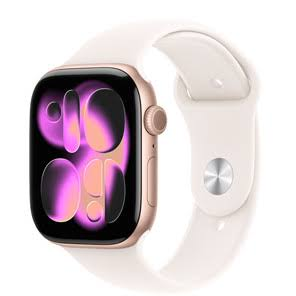
Which Apple Watch Features May Be Region-Locked?
Depending on local regulations and feature availability, the following Apple Watch features may be restricted:
- Sleep Apnea Notifications
- Hypertension Notifications
- Irregular Rhythm Notifications
- AFib History
- Other region-specific health features
This does not necessarily mean that your Apple Watch is faulty. In many cases, the feature is simply unavailable in the region detected by the system.
How Did Reddit Users Use iFlowGo?
The original Reddit discussion came from a user who could not enable Sleep Apnea Notifications in their country.
After other location tools failed, several users tried iFlowGo. They connected their iPhones through Bluetooth and changed their GPS locations to Hong Kong.
After confirming the new location in Apple Maps, they opened:
Health App → Health Checklist
The previously unavailable Sleep Apnea, Hypertension, and heart-related settings then became available for some users.
Several users also reported that the features remained available after they stopped location simulation and restored their real GPS locations.
Why Choose iFlowGo? 📍
iFlowGo changes the GPS location environment used by the iPhone paired with your Apple Watch.
Reddit users highlighted several advantages:
- ✅ A 100% safe location-changing solution
- ✅ No iPhone or Apple Watch jailbreak required
- ✅ No cracked or modified Health app
- ✅ Bluetooth-based GPS location changing
- ✅ Supports locations around the world
- ✅ Results can be checked in Apple Maps
- ✅ Your real location can be restored afterward
- ✅ Community users reported safe and stable use
- ✅ Free trial options may be available
iFlowGo does not modify the Health app or Apple Watch system files. Instead, it changes the GPS location detected by the connected iPhone.
iFlowGo vs. VPN and Other Location Tools
| Feature | iFlowGo | VPN | Standard USB Location Tool |
|---|---|---|---|
| Changes iPhone GPS | ✅ | ❌ | ✅ |
| Changes IP address | ❌ | ✅ | ❌ |
| No jailbreak required | ✅ | ✅ | Usually |
| Bluetooth connection | ✅ | ❌ | ❌ |
| No modified Health app | ✅ | ✅ | ✅ |
| Suitable for Apple Watch region scenarios | ✅ | Usually ineffective | Depends on the tool |
| Free trial | ✅ | Depends on provider | Depends on provider |
A VPN changes your IP address but does not directly change your iPhone’s GPS coordinates. For features that rely on the device’s detected location, iFlowGo provides a more direct solution.
How to Change Your Apple Watch Location with iFlowGo 🚀
The process can be summarized as follows:
- Temporarily turn off your Apple Watch and other GPS-related Bluetooth devices.
- Open iFlowGo on your computer.
- Connect your iPhone through Bluetooth.
- Select Hong Kong or another region where the target feature is supported.
- Apply the new GPS location.
- Open Apple Maps and confirm that the location has changed.
- Go to Health App → Health Checklist.
- Check whether the previously restricted feature can now be enabled.
If the option does not appear immediately, restart your iPhone and Apple Watch, then check again.
What Should You Check Before Starting?
Apple Watch health features may depend on more than location. Before using iFlowGo, confirm:
- Your Apple Watch model supports the feature
- Your iPhone and Apple Watch are running compatible software
- Your age and Health profile meet the requirements
- The selected region officially supports the feature
- Your Apple Account and device settings are configured correctly
Changing the GPS location cannot add a sensor or hardware capability that your Apple Watch does not already have.
Apple Watch health notifications are also intended to identify possible health trends. They do not replace a professional diagnosis, sleep study, or medical-grade blood pressure measurement.
Frequently Asked Questions
Does iFlowGo require a jailbreak?
No. iFlowGo changes the iPhone’s GPS location through a device connection and does not require jailbreaking your iPhone or Apple Watch.
Can a VPN replace iFlowGo?
Usually not. A VPN changes your IP address, while iFlowGo changes the GPS location detected by your iPhone.
Will the health feature disappear after stopping iFlowGo?
Some Reddit users reported that the enabled features remained after they restored their real locations. Results may still vary after system updates or additional region checks.
Why did users select Hong Kong?
Several users in the Reddit discussion successfully enabled the features after selecting Hong Kong. Before trying it, confirm that the target health feature is officially available there.
Can iFlowGo enable unsupported hardware features?
No. Your Apple Watch must already support the health feature. iFlowGo changes the location environment; it cannot add missing sensors or hardware capabilities.
Final Thoughts ✨
Some Apple Watch health features remain restricted by country or region. Several Reddit users reported that they successfully enabled Sleep Apnea, Hypertension, and heart-related notifications after changing their iPhone and Apple Watch location environment to Hong Kong with iFlowGo.
iFlowGo requires no jailbreak or modified Health app. Its Bluetooth-based GPS location changing provides Apple Watch users with a simple and secure option for managing region-related location settings.
Remember that Apple Watch health notifications are designed to highlight possible health trends. They should not replace professional medical advice, diagnosis, or treatment.