

Best iFlowGo Alternative for iOS (No Jailbreak)
Last updated: Dec 2025
If you’re trying to change your iPhone’s GPS location using 3uTools but keep running into the error:
“Failed to modify the virtual location” (Error Code 10)
You’re not alone.
With recent iOS security updates, 3uTools’ virtual location feature has become increasingly unstable — especially for users who rely on GPS spoofing for Pokémon GO, AR games, or location-based apps.
In this guide, we’ll explain why 3uTools virtual location fails, what you can try, and why iFlowGo is the most reliable iOS-only alternative.
Why Is 3uTools Virtual Location Not Working on iOS?
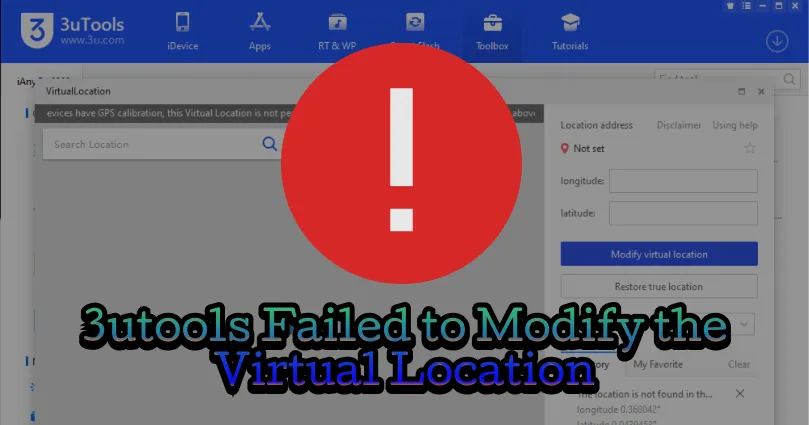
When 3uTools shows “Failed to modify the virtual location”, it means it can no longer inject GPS data into your iPhone.
Common causes include:
1. iOS Version Restrictions
Apple has strengthened location security in newer iOS versions. Many virtual location methods used by 3uTools are now partially blocked.
2. Unstable USB or Network Connection
Loose cables, unstable Wi-Fi, or firewall restrictions can interrupt GPS injection.
3. Map Source Failure
3uTools depends on external map services. If the map API fails, location modification may stop working.
4. System or Permission Conflicts
Antivirus software, driver issues, or insufficient permissions can prevent 3uTools from modifying GPS data.
Fix “3uTools Failed to Modify Location” (Error Code 10)
You can try the following basic fixes, though success is not guaranteed:
Fix 1: Change the Map Source
- Open Virtual Location in 3uTools
- Switch between Apple Maps / Google Maps
- Restart 3uTools and retry
Fix 2: Check USB & Network Connection
- Use a stable Wi-Fi network
- Replace the USB cable if needed
- Restart both iPhone and computer
Fix 3: Reinstall 3uTools
- Completely uninstall 3uTools
- Install the latest version from the official site
- Reconnect your iPhone and try again
⚠️ Note:
Even after these steps, many users still experience Error Code 10 due to iOS system limitations, not user error.
Best Solution: Use iFlowGo (Built for iOS)
If 3uTools keeps failing, the most reliable solution is to switch to iFlowGo.
iFlowGo is an iOS-only GPS location changer, designed specifically to work with modern iOS security mechanisms — without jailbreak.
Why iFlowGo Works When 3uTools Fails
- ✅ Designed exclusively for iOS
- ✅ No jailbreak required
- ✅ Stable GPS simulation (not dependent on outdated exploits)
- ✅ Works with official Pokémon GO and other location-based apps
iFlowGo Key Features (iOS)
- One-click GPS teleport anywhere in the world
- Route & joystick simulation for natural movement
- Works with Pokémon GO, MH Now, Snapchat, Life360, Tinder, Grindr, and more
- Save locations and routes
- Safe, reversible, and detection-aware design
- Free trial available
How to Change Location on iPhone with iFlowGo
- Download and install iFlowGo
- Connect your iPhone to your computer
- Choose Teleport / Route / Joystick mode
- Click Move — your iPhone GPS updates instantly
No error codes. No repeated failures.
Conclusion
The “3uTools Failed to Modify Virtual Location” error is now a common issue caused by iOS security updates and outdated GPS injection methods.
While basic fixes may help temporarily, 3uTools is no longer a reliable long-term solution for iOS location spoofing.
If you want a stable, jailbreak-free, iOS-only solution, iFlowGo is the better choice — especially for Pokémon GO and other location-based apps.
👉 Stop fighting Error Code 10. Use iFlowGo instead.